
Introducing Knowledge Base: The Brain Behind Your AI Agents
Integration & Technology
Dec 2, 2025
Your AI agents handle customer calls, answer questions, and drive conversions around the clock. But they're only as effective as the information they can access.
Today, we're launching Knowledge Base — a powerful new feature that gives you complete control over what your AI agents know.
What is Knowledge Base?
Knowledge Base is a centralized repository where you store, organize, and manage all the information your AI agents reference during customer conversations.
Think of it as building your agent's brain. You decide what goes in, and the agent uses that knowledge to deliver accurate, consistent responses every time.
Three Ways to Add Knowledge
We designed Knowledge Base to be flexible. Add information in whichever format works best for your business.
1. Upload Files
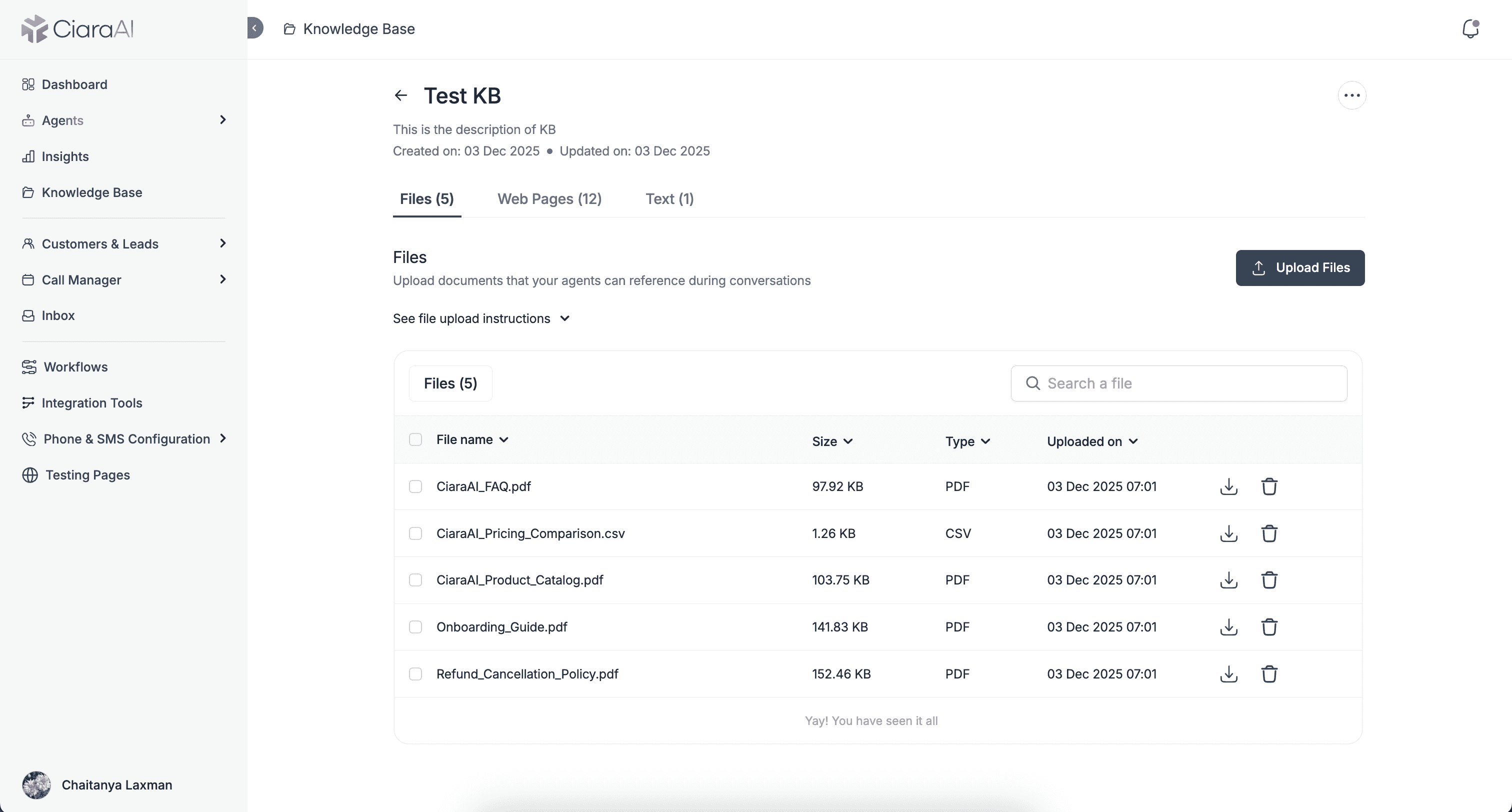
Drag and drop your existing documents. We support 25+ file formats:
Documents: PDF, DOC, DOCX, TXT, RTF, MD (Markdown), ODT
Spreadsheets: XLS, XLSX, CSV, TSV
Presentations: PPT, PPTX
Images: PNG, JPEG, BMP, TIFF, HEIC
Other: HTML, XML, EPUB, EML, MSG, and more
Constraints:
Maximum 25 files per knowledge base
Maximum 50MB per file
Spreadsheets: up to 1,000 rows and 50 columns
Best practices (built right into the UI):
Prefer Markdown (.md) files for better accuracy
Use clear, descriptive headings
Keep sections focused and reasonably short
Write in short paragraphs with lists to separate concepts
2. Import Web Pages
This is where it gets powerful.
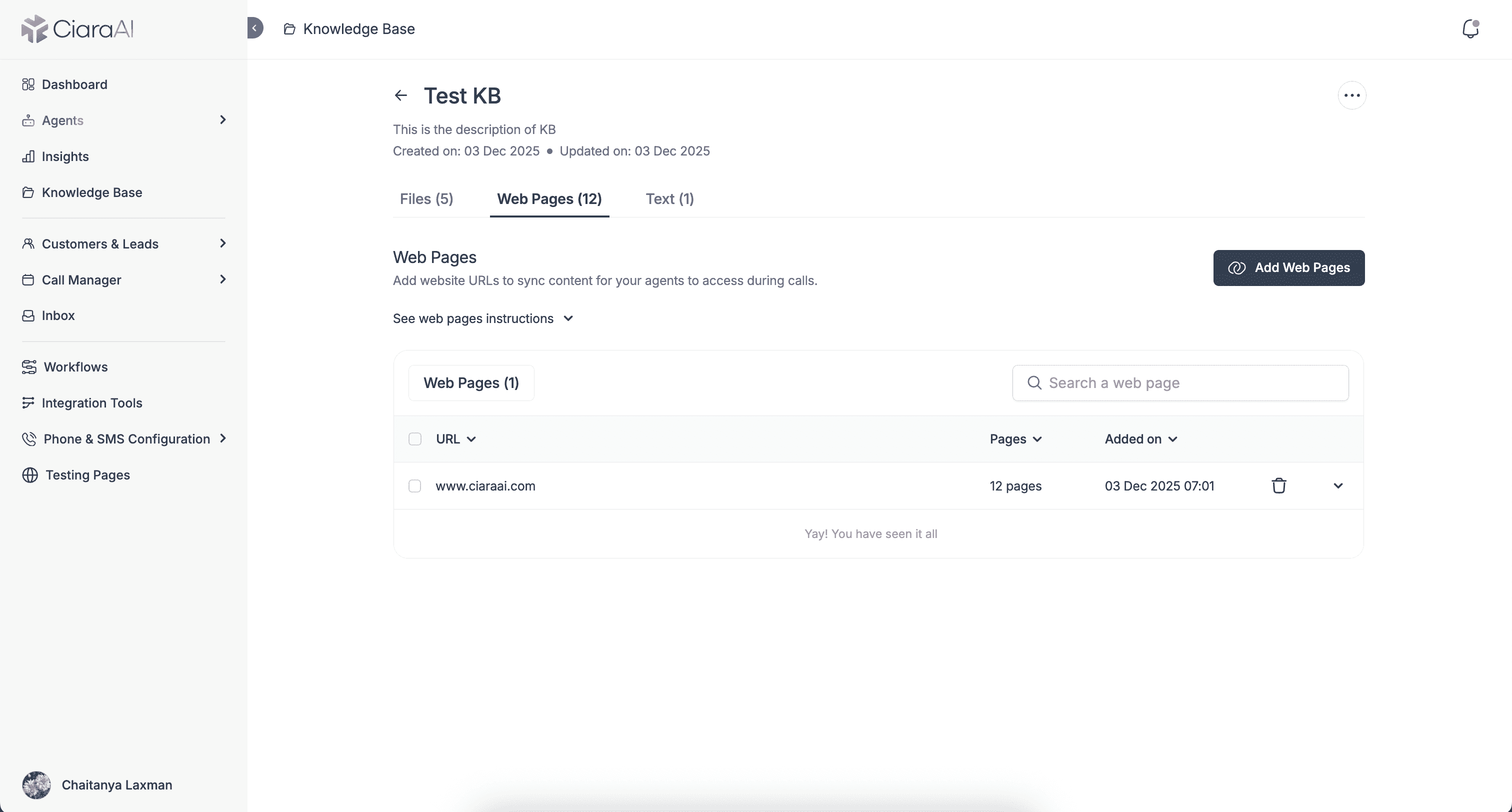
Paste any website URL, and our sitemap crawler automatically discovers every page on that domain. You'll see a complete tree view — homepage, features, pricing, blog posts, legal pages — and you can selectively choose which ones to import.
No more manually copying content. No more outdated information. Point to your website, pick the pages, and your agent is immediately up to date.
Constraints:
Maximum 500 URLs per knowledge base
Maximum 200 exclusion URLs per auto-crawl path
Maximum 500 total exclusion URLs per knowledge base
Best practices:
Use auto-crawling for entire site sections
Keep exclusion lists minimal with targeted crawl paths
Well-structured websites with clear navigation work best
3. Create Text Snippets
Sometimes you need to add quick notes, FAQs, or custom instructions that don't exist in any file or webpage.
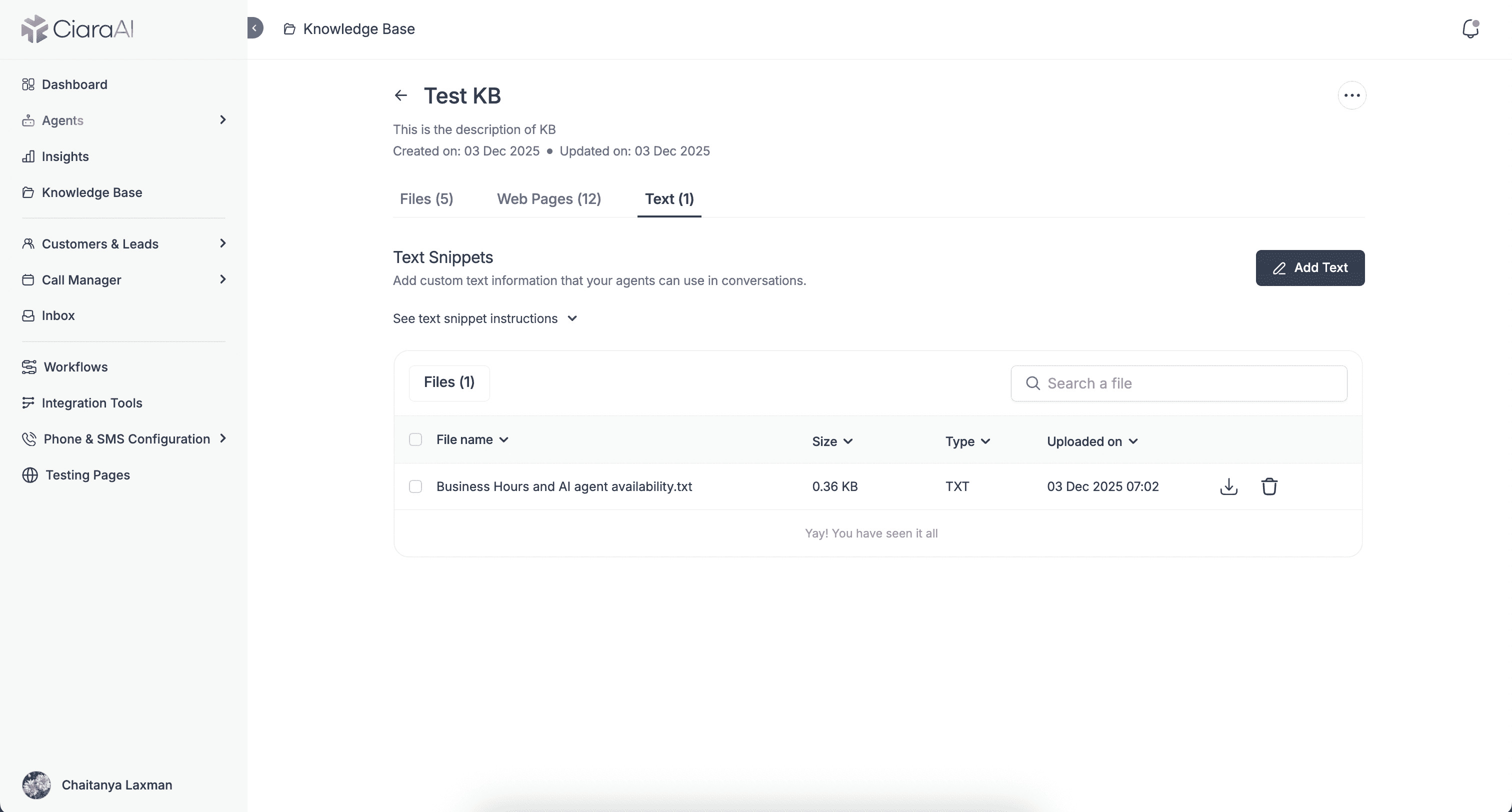
The Text Snippets feature lets you create content directly in the platform — give it a title, type your content, and save.
Perfect for:
Internal policies your agent should follow
Common objection handling scripts
Product-specific talking points
Temporary promotions or announcements
Quick clarifications or edge cases
Constraints:
Maximum 50 text snippets per knowledge base
Best practices:
Keep each snippet focused on a single topic or concept
Use clear, descriptive titles for easy identification
Avoid ambiguity — include specific names, dates, and units
Write in short paragraphs to separate concepts
Avoid ambiguous pronouns like "it" or "this" — be explicit
Group related information together so context is clear
Use text snippets for supporting information, not agent instructions
How It Works
Create a Knowledge Base — Give it a name and optional description (e.g., "Product Support KB" or "Sales Enablement")
Add your content — Upload files, import web pages, or create text snippets
Link to your agents — Connect the KB to one or more AI agents. They'll automatically reference this knowledge during conversations.
Update anytime — Add new files, refresh web pages, or edit text. Your agents always have the latest information.
Built-In Guidance
Every tab includes expandable instructions with:
Supported formats — Know exactly what you can upload
Constraints — Clear limits so you can plan accordingly
Best practices — Optimize your content for AI accuracy
No guesswork. No trial and error. Just clear guidance built right into the interface.
Why This Matters
Consistency — Every agent using the same KB gives the same accurate answers.
Efficiency — Update information once, and it reflects across all connected agents.
Scalability — Create specialized KBs for different use cases — one for sales, one for support, one for onboarding.
Control — You decide exactly what your agents know. No hallucinations, no guesswork.
Dashboard Overview
From the main Knowledge Base dashboard, you can:
View all your knowledge bases at a glance
See content counts (files, web pages, text snippets)
Check which agents are connected to each KB
Track last activity timestamps
Search, edit, or delete any KB
Get Started Today
Knowledge Base is live now for all CiaraAI users.
Log in to your dashboard, navigate to Knowledge Base, and start building your agent's brain.
Your AI agents are ready to get smarter. Give them the knowledge they need.

